In short
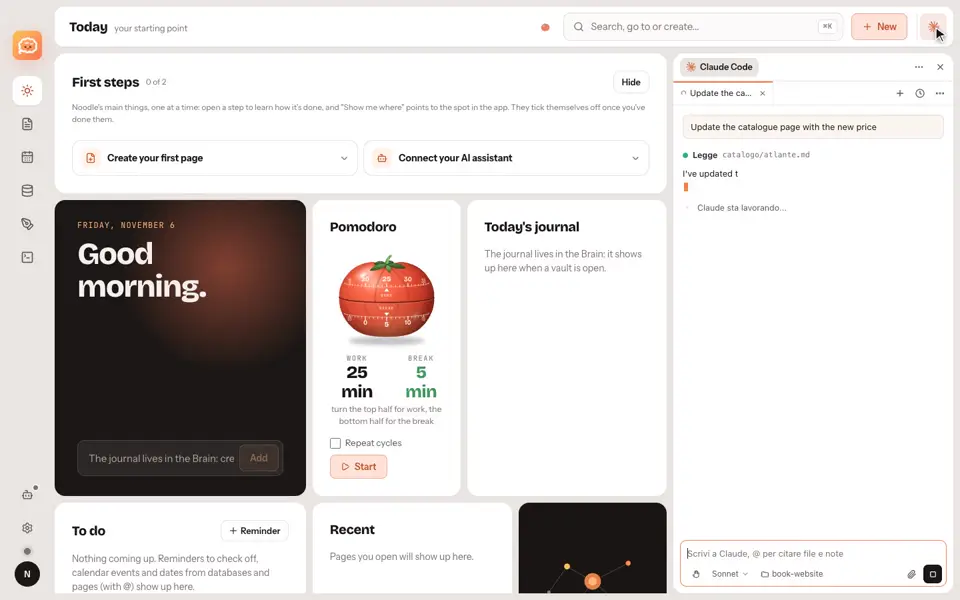
Claude Code connects to Noodle with a key you create, and it sees only the vaults you grant.
Step by step
- Open the assistants settings.
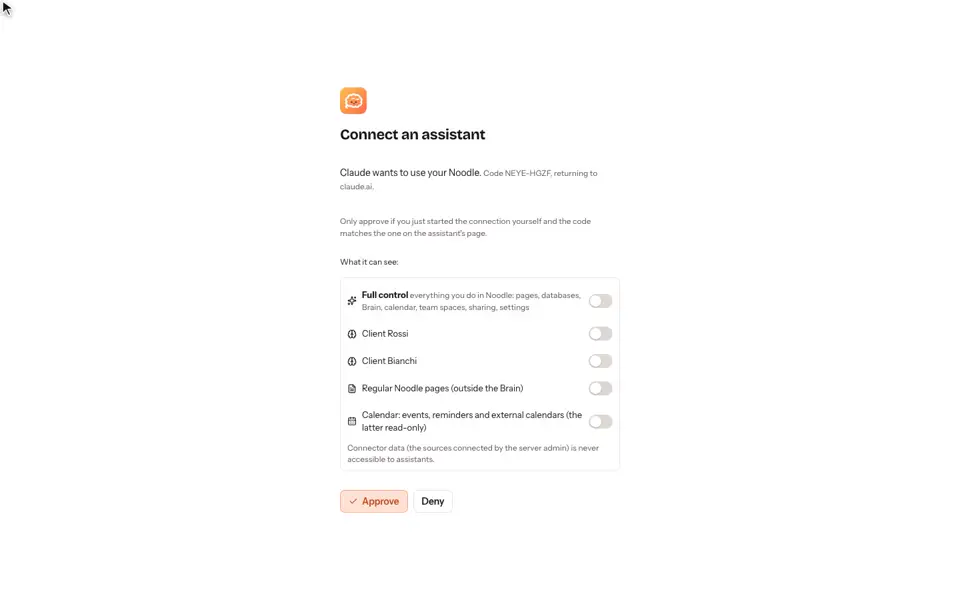
- Choose the vault Claude Code may use and create a key.
- Confirm it's you.
- Copy the command and paste it into your terminal.
Good to know
- Claude Code sees the vault you granted and can work in it; the others stay closed.
- When you're done, revoke access: within half a minute the assistant stops.
- Permissions and tools are explained in the guide on AI assistants.
Video transcript
Noodle keeps your notes in vaults. Here, there's one for each client. To connect Claude Code, open the assistants settings, choose the vault it may use, and create a key. Confirm it's you. Then copy the command, and paste it into your terminal. Claude Code is connected. It sees the vault you granted, and it can work in it. The other vault stays closed. When you're done, revoke access. Within half a minute, the assistant stops. Noodle. You decide what each assistant can see.